 Kindred: Family TreeFor teachers and schools
Family tree projects with Kindred
A family tree project for school is a reason for students to sit down with the people who raised them and ask about their story. With Kindred, students build their family tree at home together with parents and grandparents: names, photos, stories and the places the family comes from. Free, private by invitation and in six languages.
The guide in other languages: עבודת שורשיםPara colegiosPour les écolesДля школللمدارس
Why Kindred works for a class project
A family tree app for students and their families, not for the classroom computer alone: the research happens at home, and the result comes back to class.
Built together at home
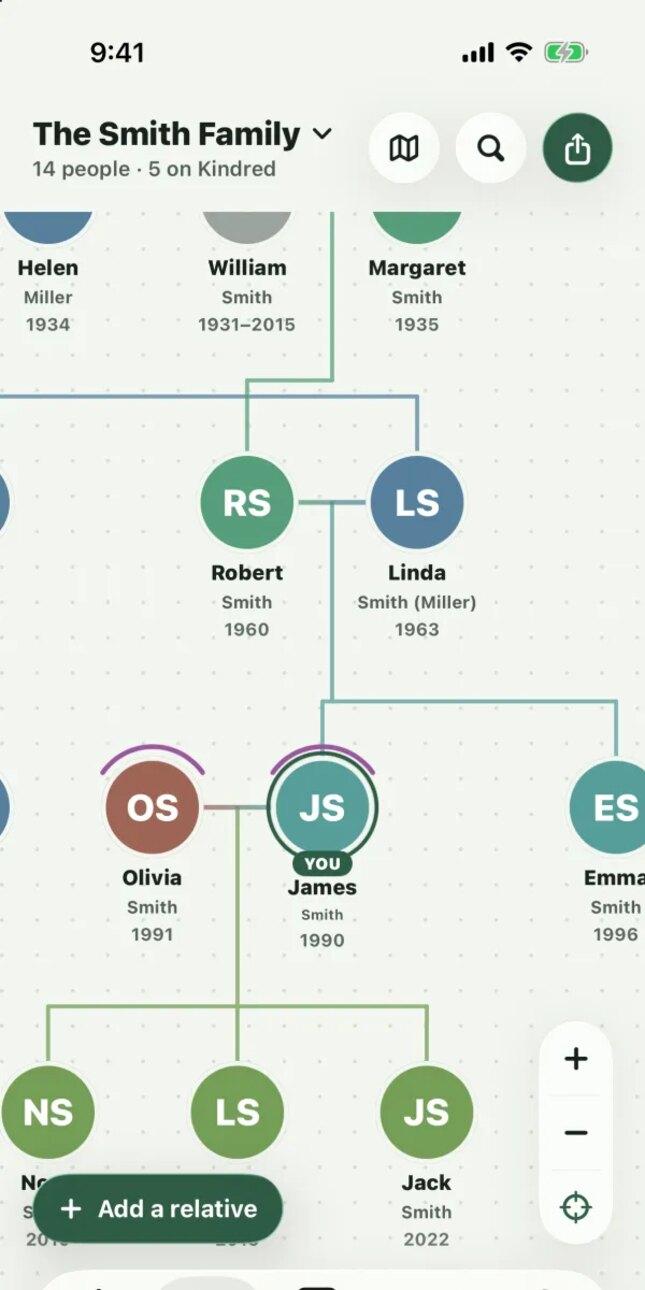
Parents, grandparents and other relatives join the tree from their own phone or computer and add what they remember. The project becomes a family conversation.
A map of where the family comes from
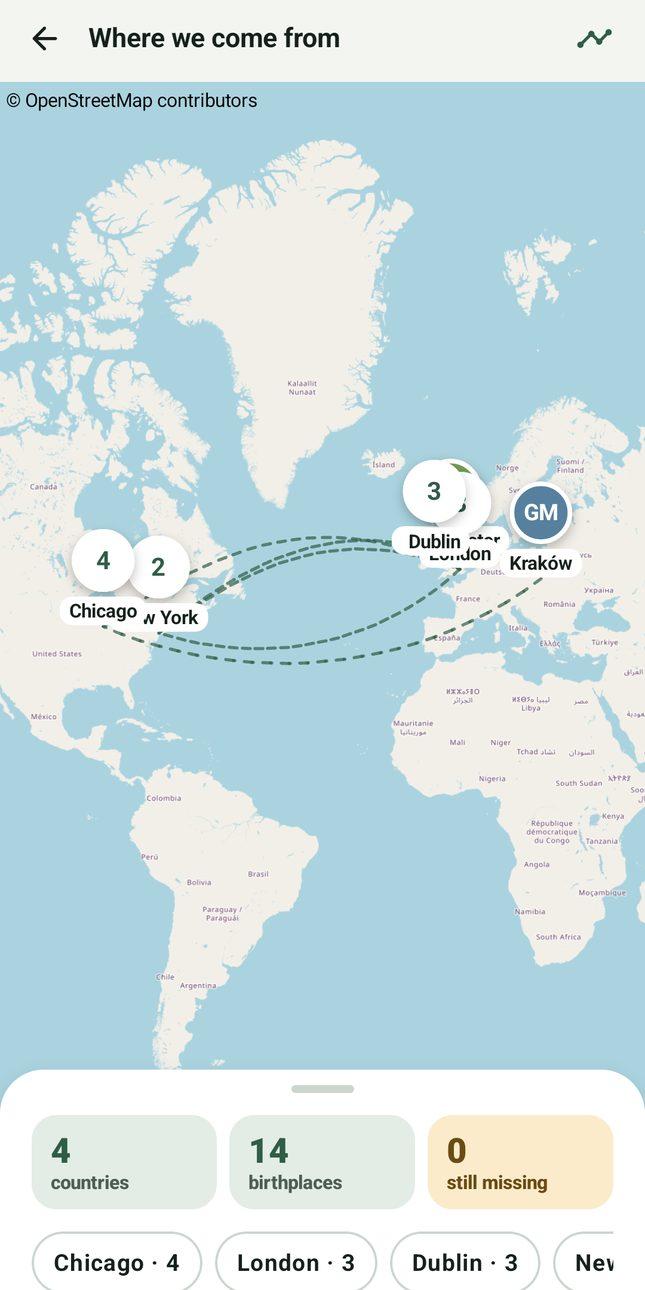
The origins map pins every birthplace and draws how the family moved from one generation to the next. A natural start for geography, history and migration lessons.
Photos and stories
Each person has a page for a photo, birthplace and their story, so students can record what they learn when they interview a relative.
Six languages, right to left too
English, Hebrew, Spanish, French, Russian and Arabic, with full right-to-left support. Everyone picks their own language, which suits multilingual classrooms and heritage language programs.
Export it to hand in
Share the whole tree as an image or a PDF to print, present in class or hand in with the assignment.
Free, with no ads
Kindred is free for families on iPhone, iPad, Android and the web. No ads, and no selling of anyone's data.
Safe for children, private by design
Students add real family members, so privacy matters. This is how Kindred protects them.
Private by invitation
A family tree is visible only to the people invited to it. Trees can't be found by searching, and there are no public profiles.
No ads, no tracking
Kindred shows no ads, never sells information and uses no third-party analytics or tracking.
Parents approve children under 13
A child under 13 can have their own account only after a parent approves it. A family can also build the tree together on a parent's account.
Teachers don't see students' trees
Kindred has no class or teacher accounts, and schools get no access to family trees. Families decide what to share, usually the exported image or PDF.
How a class project works
A simple plan for one to three weeks. Students do most of the work at home with their families; class time is for launching the project and sharing the results.
- 01
Introduce the project and send a note home
Talk with the class about family trees, then send parents a short note. The full guide has one ready to copy.
- 02
Families create a free account
A parent signs up on the web or in the app. Students 13 and over can have their own account; younger students need a parent's approval or use the parent's account.
- 03
Start the tree with the student
Add the student, their parents and grandparents. Relatives can be invited to fill in their own branch.
- 04
Interview a relative
Students ask a parent or grandparent about their life and add the answers as a story, birthplace and photo.
- 05
Explore the origins map
How many countries? Who traveled farthest? Why did they move? The map turns the answers into a lesson.
- 06
Export, hand in and present
Families export the tree as an image or PDF and the student hands it in or presents it to the class.
The full teacher's guide adds a note to parents ready to copy, ideas for different ages and advice for every family shape.
Questions from teachers
Is Kindred free for a school project?
Yes. Kindred is free for families on iPhone, iPad, Android and the web, with no ads.
Do students need their own account?
No. A family can build the tree on a parent's account. Students 13 and over can also have their own account, and children under 13 can have one only with a parent's approval.
Can I see my students' family trees?
No. Kindred has no teacher or class accounts, and a family tree is visible only to the people the family invites. Students hand in the image or PDF they export, so each family decides what the school sees.
Which languages does Kindred support?
English, Hebrew, Spanish, French, Russian and Arabic, with Hebrew and Arabic right to left. Each person chooses their own language, so a student and a grandparent can use the same tree in different languages.
Does it work on school computers and Chromebooks?
Yes. Kindred runs in any modern web browser at kindredplace.app, including on Chromebooks, Windows and Mac, and there are apps for iPhone, iPad and Android.
Can we print the tree?
Yes. Export the tree as an image or a PDF from the app or the web, then print it, present it or hand it in.
Plan your family tree project
The guide in other languages: עבודת שורשיםPara colegiosPour les écolesДля школللمدارس
Free on iPhone and iPad from the App Store, on Android from Google Play, and in your browser at kindredplace.app.
Kindred is made by Tech With You. Learn more about Kindred or read our privacy policy.